

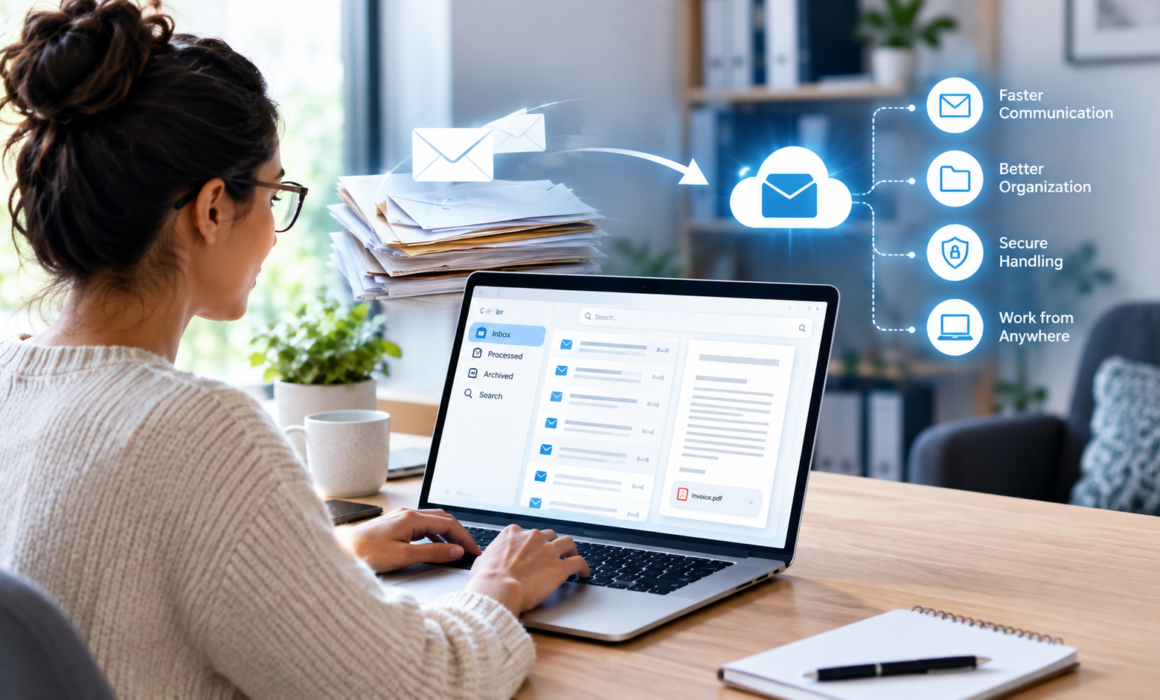
The Benefits of Digital Mailrooms for Remote Work: Streamlining Communication and Workflow
When workplaces began to distribute across locations, the mailroom was one of the things that fell through the cracks because nobody had actually planned for it. Organizations spent 2020 figuring out video conferencing, VPN capacity and expense policies for home office chairs, and somewhere in the middle of that, a stack of envelopes kept arriving at a building where nobody was sitting.
Six years later, plenty of organizations have made remote and hybrid work permanent without ever resolving that problem properly. Someone drives in twice a week to check the mail. A cheque sits unopened for eleven days. A regulatory notice with a response deadline gets discovered after the deadline. These are not dramatic failures, which is exactly why they persist.
A virtual mailroom for remote teams solves this, and it tends to solve several adjacent problems at the same time.
What a Digital Mailroom Actually Is
The concept is straightforward. Incoming physical mail is redirected to a processing facility rather than your office. There it is received, sorted, opened where authorized, scanned and delivered electronically to the right person or system, usually within the same business day.
What separates this from simply asking an employee to scan things is the structure around it. Mail is classified by type on arrival. Invoices go one direction, legal correspondence another, cheques a third. Each category of mail has a predetermined path based on who should be receiving it. Cloud-based document routing means the sorting logic lives in a system, rather than someone’s head. The system still works regardless of whether someone is on vacation, in a meeting, or no longer employed there.
The physical mail received doesn’t get destroyed either. Originals are retained according to whatever policy you set, forwarded on request, or securely destroyed once the retention period expires. Cheques get deposited or couriered. Anything requiring a wet signature gets flagged and handled physically. The digital layer handles information flow while the physical handling continues in the background, just somewhere other than your reception desk.
The Problem It Fixes for Distributed Teams
Physical mail is the last piece of the workflow that assumes everyone is in the same building. Every other input to a modern organization arrives digitally by default. Email, tickets, client portals, and invoicing platforms all reach a distributed workforce without anyone having to think about it. Mail is the exception, and exceptions in otherwise automated processes are where delay accumulates.
Automated mail distribution removes the exception. As a document arrives, the system identifies what it is and the route it needs to take according to the person or department responsible, along with a notification. The accounts payable team sees an invoice at the same moment it would have been seen if it were emailed. The paralegals across the province receive served documents the day it arrives, rather than waiting for someone to drop them off the next day.
Transparency is just as important as speed. Paper mail is infamous for getting lost once it leaves the front desk. Digital mailrooms produce a record of when each item arrived, who it was routed to, when they opened it and what happened next. For anything involving deadlines, that trail is the difference between confidence and hoping.
Contactless Office Operations as a Permanent Design Choice
The phrase contactless office operations entered common use during the pandemic and was initially about health. It has outlived that context because organizations discovered the operational benefits were independent of the original reason.
An office where incoming information does not depend on physical presence is simply more resilient. Snowstorms in Fort McMurray, a burst pipe, a building closure, a key staff member on medical leave- none of these interrupt the flow of mail if the mail was never arriving at that building in the first place. It also opens hiring. If mail processing does not require anyone on site, you are no longer constrained to hiring administrative staff within commuting distance of an office.
There is a security dimension too. A reception area where envelopes pile up on a desk is an uncontrolled environment. Anyone walking past can see what arrived and for whom. Digital delivery applies the same access controls to mail that you already apply to every other document, which for organizations handling personal information under PIPEDA or Alberta and BC provincial privacy legislation is a meaningful improvement rather than a technicality.
Where the Return Comes From
Digital mailroom ROI calculations usually start with the obvious line items and end up dominated by the ones nobody thought to count.
The obvious savings are real but modest. You reduce or eliminate the staff time spent on sorting and internal distribution. You free up physical space that was dedicated to mail handling and storage. In some cases, you reduce office footprint entirely, which is where the numbers get large quickly.
The larger returns come from cycle time. An invoice that reaches accounts payable on day one instead of day nine has eight extra days in the approval window, which is often the difference between capturing an early payment discount and missing it. A client document that reaches the file the day it arrives shortens the whole matter. A regulatory notice acted on immediately avoids a penalty that would have dwarfed the annual cost of the service.
A traditional mailroom also carries risks, including lost mail, missed deadlines, misdirected confidential documents, and unanswered notices. These all carry costs that arrive unpredictably and in large increments. Reducing their frequency is worth more than the spreadsheet usually suggests.
Most organizations find the payback period lands somewhere under a year, with the biggest gains going to those with multiple locations, high mail volume or significant deadline exposure.
Integration Is Where It Becomes Invisible
A digital mailroom that requires people to log into yet another portal has solved a logistics problem and created an adoption problem. The implementations that work are the ones that deliver mail into tools people already have open.
That typically means notifications in Slack or Microsoft Teams, delivery into existing document management systems so mail lands directly in the correct client or matter file, and connections into accounting platforms so invoices enter the approval workflow without rekeying. Once integration is in place, most staff stop thinking about the mailroom entirely. Mail simply becomes another thing that arrives in the systems they already use.
Frequently Asked Questions
How do remote employees receive their physical mail?
They receive a digital version first. The mail that is addressed to your organization is redirected to a secure processing facility, where it is sorted, opened where permitted, scanned and delivered electronically to the intended recipient. This all typically happens within the same business day. If someone needs the physical original, they request forwarding, and it is couriered to whatever address they specify. Most items never need to be forwarded, because the scan is sufficient for the work at hand. Originals that must be retained are stored securely and destroyed on schedule when their retention period ends.
Can a digital mailroom handle packages?
Yes, though packages follow a different path than letter mail. Parcels are received, logged and photographed, and the intended recipient is notified. From there, the options are forwarding to a home or alternate address, holding at the facility for pickup, or, in the case of parcels containing documents, opening and scanning the contents like any other mail. Cheques are a common special case and are usually handled through a defined deposit process rather than being forwarded. Most providers will work with you to set rules by sender or package type so that routine parcels are handled automatically without anyone making a decision each time.
How does this improve workflow speed?
By removing the waiting. Traditional mail handling has several sequential delays, from transit to the office, sitting in a pile until someone sorts it, internal distribution, and waiting for the recipient to physically be there to open it. A digital mailroom collapses all of that into a single same-day step. The compounding effect shows up in any process with multiple approvals, since each handoff that previously waited on physical movement now happens immediately. Search is another advantage of digitized mail because all the contents become text-searchable and indexed, making retrieval for items easier.
Is it integrated with tools like Slack or Microsoft Teams?
Commonly, yes. Most current providers offer notifications and delivery through platforms such as Slack and Microsoft Teams, along with integrations into existing document management platforms, accounting and ERP systems, and CRM tools. Where direct integration isn’t possible, API access generally allows a custom connection. It is always best to confirm which specific integrations a provider supports before committing, since capabilities vary and value is dependent on the kind of mail landing inside the tools your team already use.
What is the environmental impact of a digital mailroom?
Generally positive, with the caveat that it depends on your previous practices. The clearest gains come from eliminated transportation, since mail travels to one facility rather than being couriered or driven between offices, and from staff who no longer commute to collect it. Paper consumption typically falls as well, because documents that were previously printed and copied for distribution are shared digitally instead. Centralized handling also improves recycling and secure destruction outcomes compared to distributed disposal across multiple sites. The offsetting factor is the energy footprint of digital storage and processing, which is real but small relative to the transport and paper savings for most organizations.