

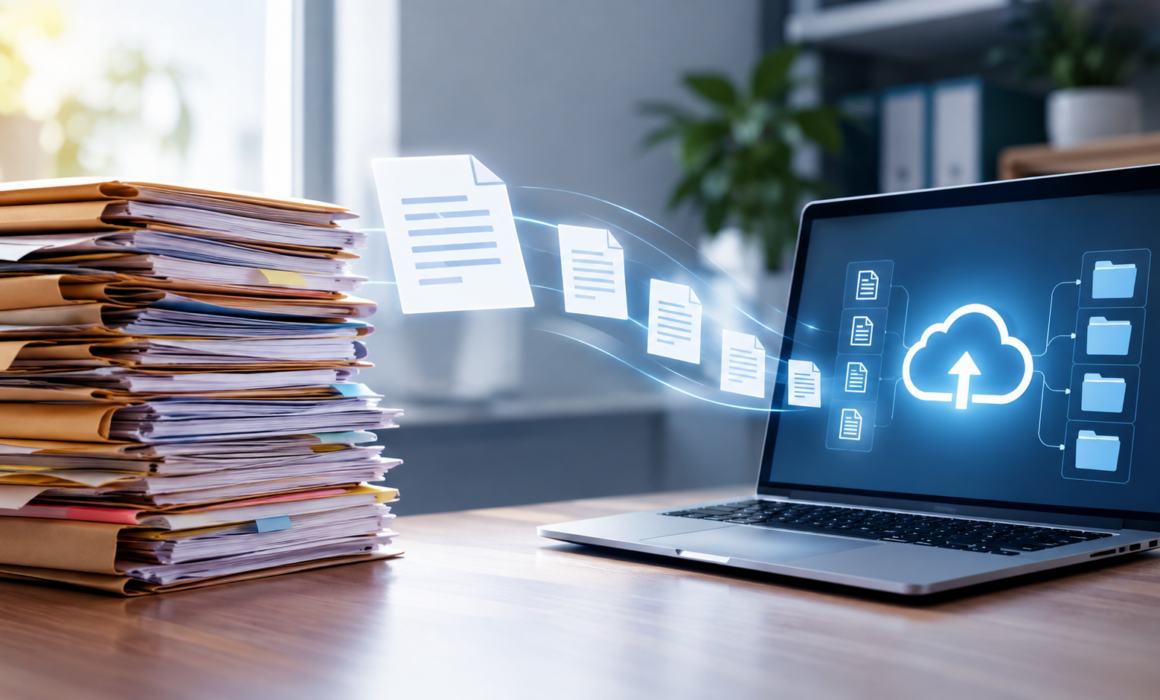
The Secret Lives of Documents: What Happens When Your Files Go Digital?
In almost every scanning project, a box that gets pulled off the shelf for digitization never gets put back. People realize documents don’t need to live in a box, but rather can live on a server or in the cloud and be accessed much more easily by more people who need them.
Digitization is seen as an ending because the paper just disappears, but in reality, a digitized document actually leads a far busier life than the paper version ever did. Understanding that second wind of life is what separates organizations that carry a hard drive full of documents nobody can search from an organization that gets real value from a digital document transformation.
The Journey From Shelf to Screen
The paper-to-digital process is an involved process, where the steps that matter most are before and after the scanner.
Preparation can be an unglamorous, labour-intensive step. For smooth scanning, staples and paper clips get removed, torn pages are repaired, sticky notes are rearranged, and documents get sorted into logical groupings to help make a 400-page file make as much sense as possible. Although the work is tedious, well-completed preparation determines the quality of the final product of the digital transformation.
Then comes capture. The document passes through a scanner and becomes an image. At this stage, it is a picture of a page, nothing more. A computer looking at it sees pixels, not words. This is the stage where many internal projects stop, but is also where most of the value is still on the table.
When using a service provider, the next step allows documents to become searchable and usable. Optical character recognition reads the image and converts the visible text into machine-readable characters. This allows the scanned documents to be searched for the words within, taking out the need for manual searching. Indexing follows, where key information is pulled out and attached to the file as metadata. A property file might get tagged with the legal land description, the client name, the transaction date and the file type. Quality assurance catches the pages that came through crooked, the pages that got skipped and the OCR results that misread a handwritten note.
Only after all of that does the file land in its destination system, organized according to a structure somebody thought carefully about in advance.
Scanning Is Not the Same as Digitization
This distinction causes more confusion than almost anything else in the field, and it is worth being precise about.
Scanning is a mechanical act. A physical page is produced to become a digital image of it, typically in a PDF or a TIFF. The image is a duplication of the original copy in the sense that it looks the same. Scanning doesn’t, however, make the content inherently usable. A scanned digital copy is treated the same as a photograph that can be seen, emailed, and saved. But to get the value inside it, it needs to be read manually.
In a full digitization project, these scanned images are far from the finished product. The steps to digitization add text recognition to make the content searchable and in structured metadata, allowing the file to be found by the criteria inside, rather than by file name. This allows documents of the same classification to behave consistently and integrate into a system that manages versions, permissions, and retention. The result of full digitization is documents that participate and seamlessly add to your work instead of just sitting in them.
The difference between scanning and digitization is apparent when somebody needs to find something within the scanned files. With a scanned archive, finding a specific document requires knowing which folder it is located in. With a fully digitized one, it allows people to type a detail, and all the relevant documents that contain that text show up.
How Digital Files Actually Find You
Once documents are properly digitized, the relationship between person and file inverts. You stop going to find the document, and the document starts showing up where you need it.
Modern document management systems organize files along several axes at once, which is something a filing cabinet fundamentally cannot do. A paper file lives in exactly one place. If your insurance claim documentation is filed by claim number, it is not also filed by client, by adjuster, by date or by status. Digital documents carry all of those attributes simultaneously through their metadata, so the same file is reachable from every angle someone might approach it.
Search handles the rest. Full-text search means the content itself is findable, not just the labels somebody thought to apply. Filters narrow large sets down quickly. Saved views let a team see exactly the slice of the repository relevant to their role without wading through everything else.
Access follows the person rather than the location. Cloud document storage means a property manager standing in a unit can pull up the original tenancy agreement on a phone. A paralegal working from home has the same view of the file as the one sitting in the office. For organizations operating across Alberta and British Columbia, or anywhere with multiple offices, this eliminates a category of problem that used to be solved by couriers.
The Efficiency Nobody Counts Until It Disappears
The time cost of paper is almost invisible while you are paying it, because it is spread across every employee in small amounts. Five minutes here looking for a file. Ten minutes there walking to storage. Twenty minutes recreating a document that exists but cannot be located. None of it shows up as a line item anywhere, which is why it tends to survive for decades unchallenged.
When those retrieval times collapse to seconds, the recovered hours are the obvious gain, but the downstream effects tend to be larger. Approvals that used to wait for a physical file to travel between desks happen in sequence without delay. Multiple people can work from the same document simultaneously instead of queuing behind whoever has the original. Client questions get answered during the call rather than after it, which changes the client’s experience of your organization more than any amount of process improvement they cannot see.
There is a risk dimension too. Paper files are single points of failure. A flood, a fire or a misplaced folder means the record is simply gone, and in regulated sectors a missing record is not just an inconvenience but a compliance problem. Digitized files are backed up as a matter of routine, which converts a category of disaster into a non-event.
Audits are where the difference becomes most visible. Producing documentation for a regulator or an auditor shifts from a multi-week scramble through storage to a filtered export.
What Keeps Digital Files Safe
The instinct that paper feels safer because you can see it is understandable, but it does not survive scrutiny. A locked filing room protects against someone without a key. It does not log who opened a drawer; it does not notice when a page goes missing, and it cannot tell you three years later who read what.
Secure digital files are protected in layers. Encryption applies both while files are moving across a network and while they are sitting at rest in storage, so intercepted data is unreadable without the key. Role-based access control means people see only the documents their function requires, and permissions can be adjusted the moment someone changes roles or leaves. Multi-factor authentication makes a stolen password insufficient on its own.
Audit trails are a capability with no paper equivalent. Every action against a document is recorded. Who opened it, who edited it, who downloaded it, who shared it and when. If something goes wrong, the investigation starts with a complete record rather than guesswork.
For Canadian organizations, there is a jurisdictional layer as well. Where your data physically resides matters, which is why data residency within Canada is a standard question to ask of any cloud provider rather than an advanced one. Retention and disposition rules can be applied automatically in a well-configured system, so documents are destroyed on schedule instead of accumulating indefinitely as unmanaged liability.
The Life After Paper
A document that has gone fully digital is not a preserved copy of something that used to exist. It is a working object. It can be found by anyone authorized to see it, from anywhere, using any detail they happen to remember about it. It reports on its own use. It knows when it is supposed to be destroyed. It exists in several places at once so that losing one of them costs nothing.
None of that is automatic. It comes from the decisions made during the conversion about how documents get classified, what metadata gets captured, how the structure is designed and which system the files land in. Those decisions are easy to make well at the start and expensive to revisit later, which is the strongest argument for treating digitization as a project worth planning rather than a task worth outsourcing to the nearest scanner.